
Total:
$0.00
Key Features
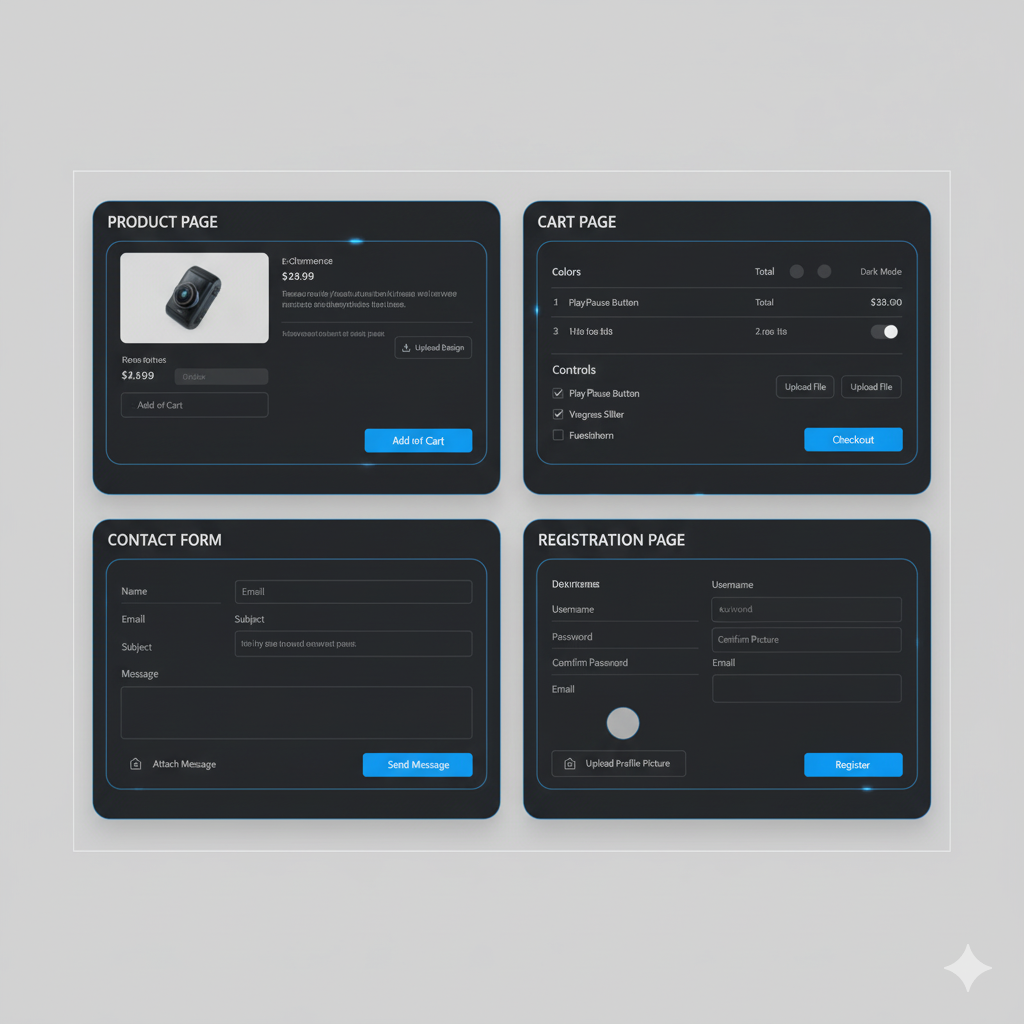
Multi-Page Upload Integration
- Upload files directly on Product pages, Contact forms, Cart pages, and Registration forms
- Seamless integration across all customer touchpoints
- Consistent upload experience throughout the store

Multiple File Format Support
- Accept images (JPG, PNG, GIF, SVG)
- Documents (PDF, DOC, DOCX, XLS, XLSX)
- Design files (AI, PSD, EPS)
- Compressed files (ZIP, RAR)
- Custom file type restrictions per upload field

Customizable Upload Fields
- Custom labels and instructions per field
- Required vs. optional upload fields
- Conditional fields based on product or form type
- Multiple upload areas on single page

Secure File Storage
Encrypted file uploads and storage

Custom Settings
Set min/max heights & widths, accept specific filetypes or aspect ratios.

File Preview & Validation
Allow customers to preview, enhance, rotate, and crop images.

File Optimization
Automatic Reduce file sizes without quality loss


Upload Hike Reviews
Apex
11/02/2023We’re based in Charlotte and explored a few options before finding VisionCarePro. After testing several apps, we chose VisionCarePro for our Shopify store because it had the features we needed for managing prescriptions and custom eyewear options.
TJ
11/02/2023Akeans team is awesome. They work fast, accurately and have great customer service. Whenever there is an issue, they are right there to fix it snd make any changes needed to help your business grow. Would definitely recommend!
Euvelle
11/02/2023Akeans team is awesome. They work fast, accurately and have great customer service, Whenever there is an issue. Would definitely recommend!
Jojo
11/02/2023A very good app with many functionalities. We have been using it for over and it's really great. Adds a lot of choices for customers and makes customized. Customer support is quick to respond and very helpful.
Cozy
11/02/2023Really happy with the customer support from Akeans VisioncarePro. I had an issue with settings when using the configurator, and their team quickly helped me resolve it, which instantly fixed the problem. Great experience overall!
Boot
11/02/2023Using VisioncarePro has been a great experience and allowed me to really customize my website the way I wanted. I'm an amateur at this but found it very easy to use and there are also so many guides and tutorials that explain things very well.
Add Akeans Upload Hike just in a few clicks and start your free trial now!
FAQ
Simply navigate to the product page, contact form, cart, or registration page where you'll see an "Upload Files" button. Click it or drag and drop your files into the upload area. Your files will be automatically attached to your order or form submission.
You can upload files on Product pages (when adding items to cart), Contact/Support forms, Cart page (before checkout), and Registration/Account creation pages, depending on your store's configuration.
You can upload up to 10 files per product or form submission. If you need to upload more files, please contact our support team for assistance.
Absolutely! Our upload feature is fully mobile-optimized. You can upload files from your device's gallery or use your camera to take photos directly.
Your uploaded files are visible in your cart before checkout and in your order confirmation. If you have an account, you can also view them in your order history under "My Account."
Recommended Shopify Apps









Who is the Upload Hike App for?
If your business needs customers to provide files, designs, photos, or documents at any point in the buying journey, Upload Hike App is built for you.

How does Upload Hike Work?
Upload Hike seamlessly integrates file upload buttons into your store's product pages, contact forms, cart, and registration areas, allowing customers to easily submit files that are automatically organized and attached to their orders.

Why use the Upload Hike App?
Upload Hike eliminates the hassle of collecting customer files through email, streamlines your custom order workflow, reduces errors, and provides a professional file upload experience that increases sales and customer satisfaction.

How App Support works ?
Upload Hike provides comprehensive 24/7 support through multiple channels including live chat, email, detailed documentation, and video tutorials to ensure you get help quickly whenever you need it.